
The Problem: Everything Measures from Its Own Perspective
Imagine your robot has an RGB-D camera-a camera that captures both color images and depth (distance to each pixel). These are common in robotics: Intel RealSense, Microsoft Kinect, and similar sensors. The camera spots a coffee mug at pixel (320, 240), and the depth sensor says it’s 1.2 meters away. You want the robot arm to pick it up-but the arm doesn’t understand pixels or camera-relative distances. It needs coordinates in its own workspace: “move to position (0.8, 0.3, 0.1) meters from my base.” To convert camera measurements to arm coordinates, you need to know:- The camera’s intrinsic parameters (focal length, sensor size) to convert pixels to a 3D direction
- The depth value to get the full 3D position relative to the camera
- Where the camera is mounted relative to the arm, and at what angle

What’s a Coordinate Frame?
A coordinate frame is simply a point of view-an origin point and a set of axes (X, Y, Z) from which you measure positions and orientations. Think of it like giving directions:- GPS says you’re at 37.7749° N, 122.4194° W
- The coffee shop floor plan says “table 5 is 3 meters from the entrance”
- Your friend says “I’m two tables to your left”
- The camera measures in pixels, or in meters relative to its lens
- The LIDAR measures distances from its own mounting point
- The robot arm thinks in terms of its base or end-effector position
- The world has a fixed coordinate system everything lives in
The Transform Class
TheTransform class at geometry_msgs/Transform.py represents a spatial transformation with:
frame_id- The parent frame namechild_frame_id- The child frame nametranslation- AVector3(x, y, z) offsetrotation- AQuaternion(x, y, z, w) orientationts- Timestamp for temporal lookups
Transform Operations
Transforms can be composed and inverted:Converting to Matrix Form
For integration with libraries like NumPy or OpenCV:Frame IDs in Modules
Modules in DimOS automatically get aframe_id property. This is controlled by two config options in core/module.py:
frame_id- The base frame name (defaults to the class name)frame_id_prefix- Optional prefix for namespacing
The TF Service
Every module has access toself.tf, a transform service that:
- Publishes transforms to the system
- Looks up transforms between any two frames
- Buffers historical transforms for temporal queries
protocol/tf/tf.py and is lazily initialized on first access.
Multi-Module Transform Example
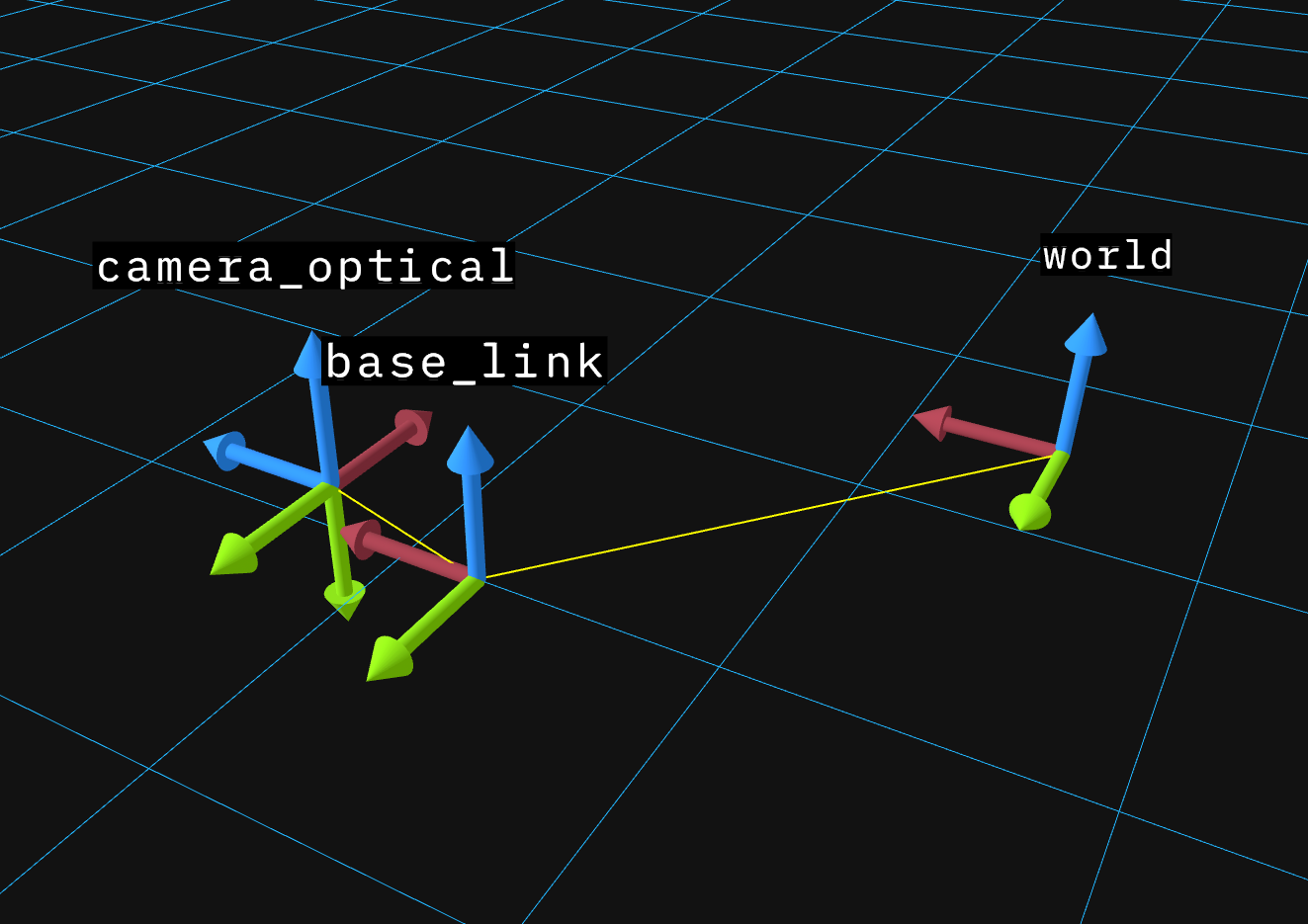
This example demonstrates how multiple modules publish and receive transforms. Three modules work together:- RobotBaseModule - Publishes
world -> base_link(robot’s position in the world) - CameraModule - Publishes
base_link -> camera_link(camera mounting position) andcamera_link -> camera_optical(optical frame convention) - PerceptionModule - Looks up transforms between any frames
skip ansi=false
- Automatic broadcasting:
self.tf.publish()broadcasts via LCM to all modules - Chained lookups: TF finds paths through the tree automatically
- Inverse lookups: Request transforms in either direction
- Temporal buffering: Transforms are timestamped and buffered (default 10s) for sensor fusion

Internals
Transform Buffer
self.tf on a module is a transform buffer. This is a standalone class that maintains a temporal buffer of transforms (default 10 seconds) allowing queries at past timestamps, you can use it directly:
Further Reading
For a visual introduction to transforms and coordinate frames: For the mathematical foundations, the ROS documentation provides detailed background:- ROS tf2 Concepts
- ROS REP 103 - Standard Units and Coordinate Conventions
- ROS REP 105 - Coordinate Frames for Mobile Platforms
- Modules for understanding the module system
- Configuration for module configuration patterns